


Back-office control for projects, finance, people and talent, compliance, reporting and client operations.
Loading page
Roveya connects your people, sites, projects, compliance, workforce and commercial operations, from the field to the back office.
The challenge
The problem is rarely a lack of software. It is that each system holds a different version of the work.
Every stage adds to the same record.
The film
At 20:41 a patrol logs an open plant room door. Watch it reach the supervisor and the office on the same record.
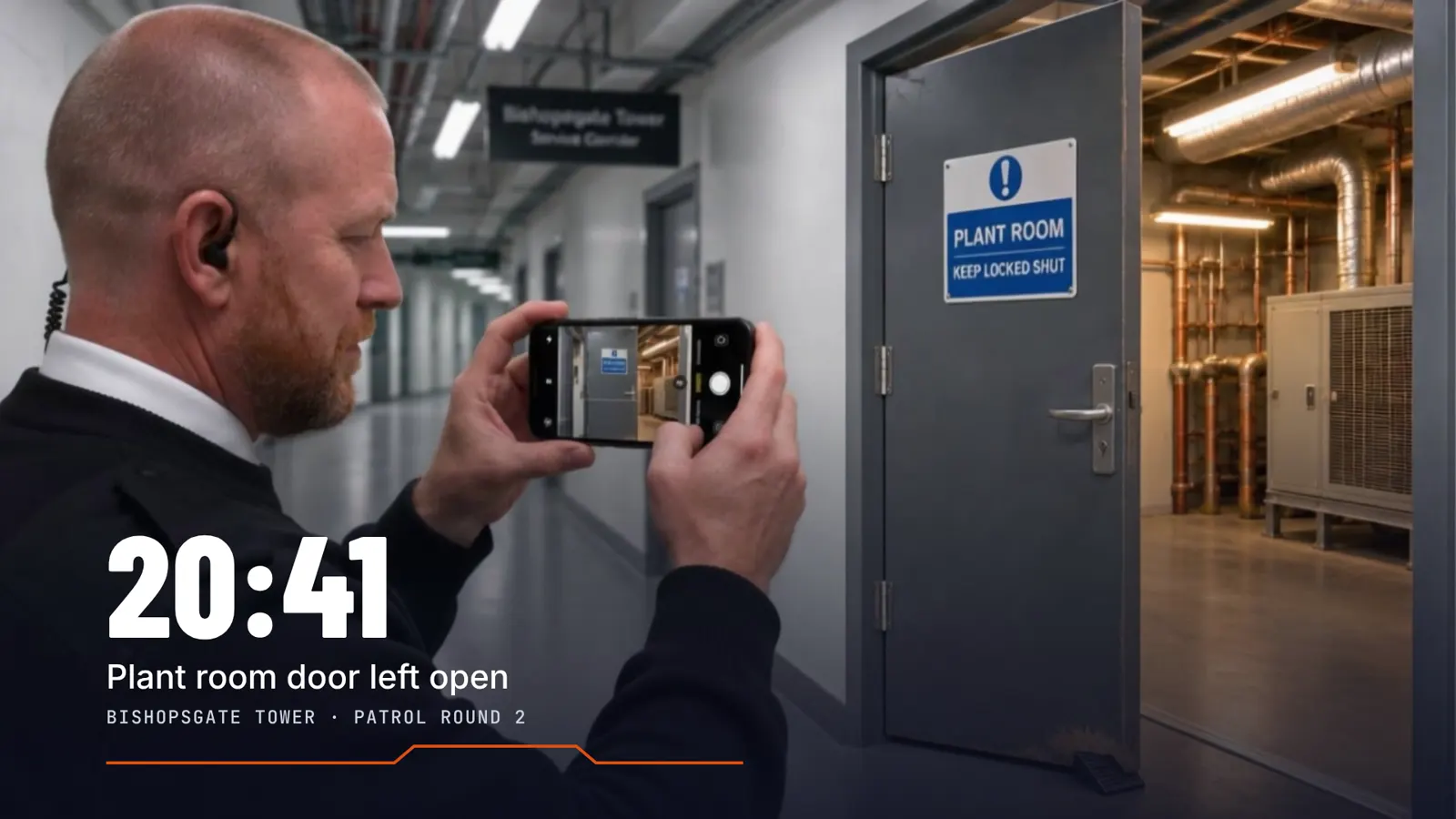
The film follows one event. At 20:41 a security officer on patrol photographs a plant room door left open at Bishopsgate Tower and logs it in Roveya Ops. The supervisor sees the alert in Roveya Hub and assigns the fix. The office sees the same record in Roveya Admin, with work, people and compliance in one view. Every site, every shift, one connected record.
The ecosystem
Admin, Ops and Hub work from the same records, so a signature captured on site is the one the office invoices against.
Run the business.
Back-office control for projects, finance, people and talent, compliance, reporting and client operations.
See Admin →Run the work.
Field execution for attendance, timesheets, inspections, work orders, safety, lone worker, forms and evidence.
See Ops →Run it on the move.
Mobile management for approvals, alerts, exceptions, team and site status, KPIs and quick actions.
See Hub →The operating loop
Each stage picks up where the last one left off. That means less retyping of timesheets and fewer handoffs chased between site and office.
Admin Plan · Deploy
Back-office control for projects, finance, people and talent, compliance, reporting and client operations.
Ops Work · Check
Field execution for attendance, timesheets, inspections, work orders, safety, lone worker, forms and evidence.
Hub Approve
Mobile management for approvals, alerts, exceptions, team and site status, KPIs and quick actions.
Admin Report · Invoice · Get paid
Applications for payment are raised from the same records the field produced.
Capabilities
All six share one operating record. A worker, a site and a work order are the same in every area, so there is less to match up later.
Interface
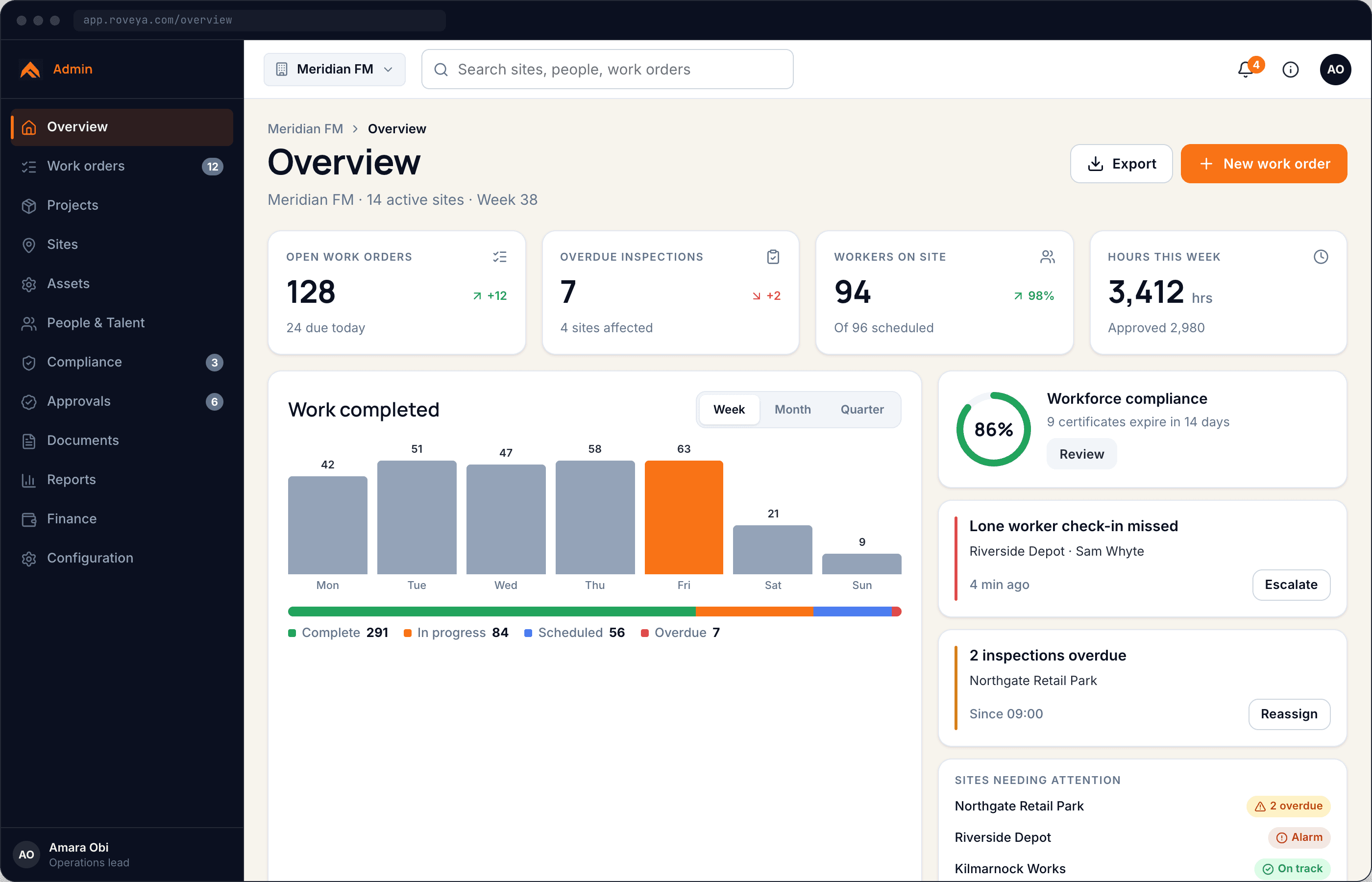
Roveya Admin · Desktop
Projects, finance, people and compliance in one back office. Applications for payment are raised from the same records the field produced.
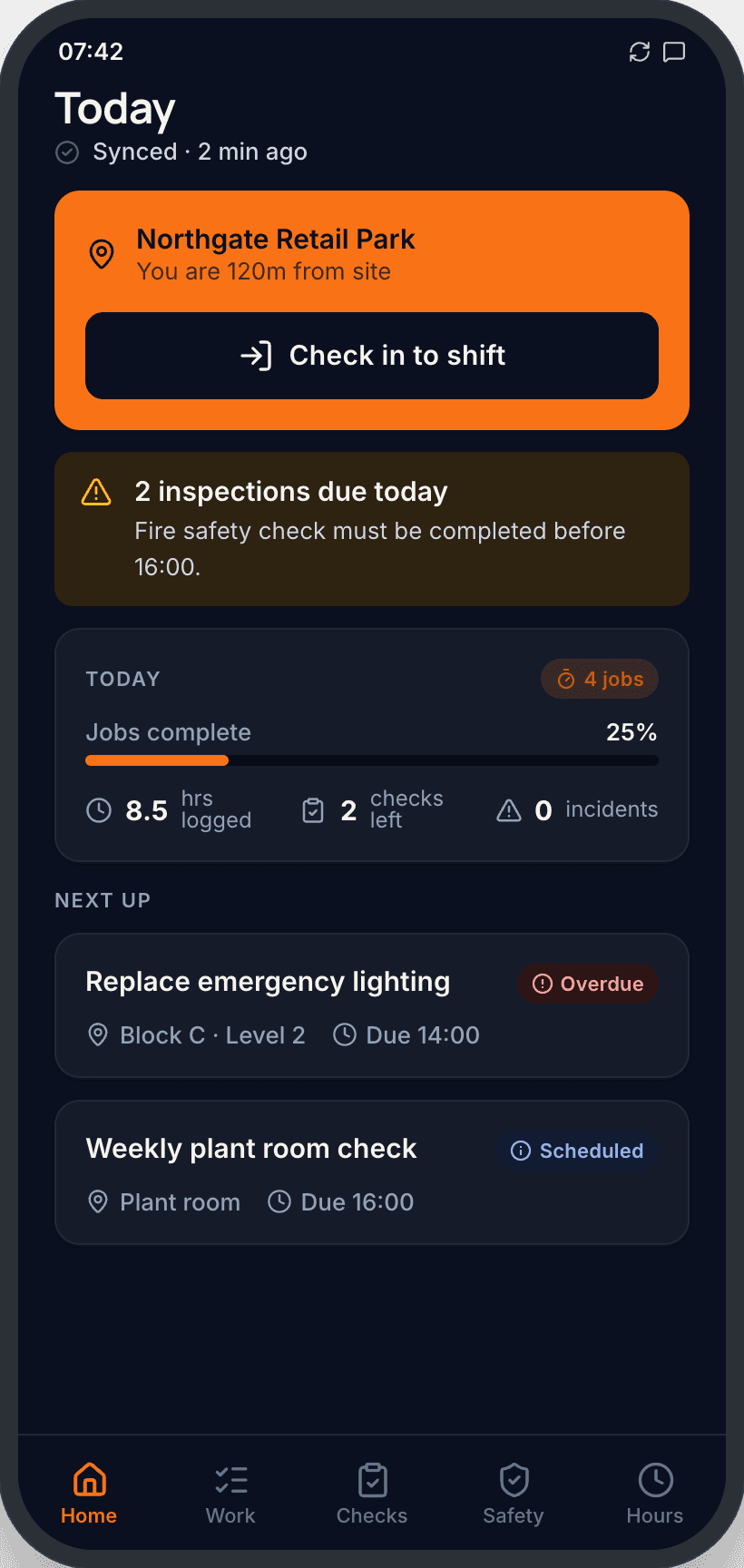
Roveya Ops · Mobile
Roveya Ops gives field teams one mobile workspace for their work, checks, evidence, safety and site activity — connected directly to the same operational record used by the back office.
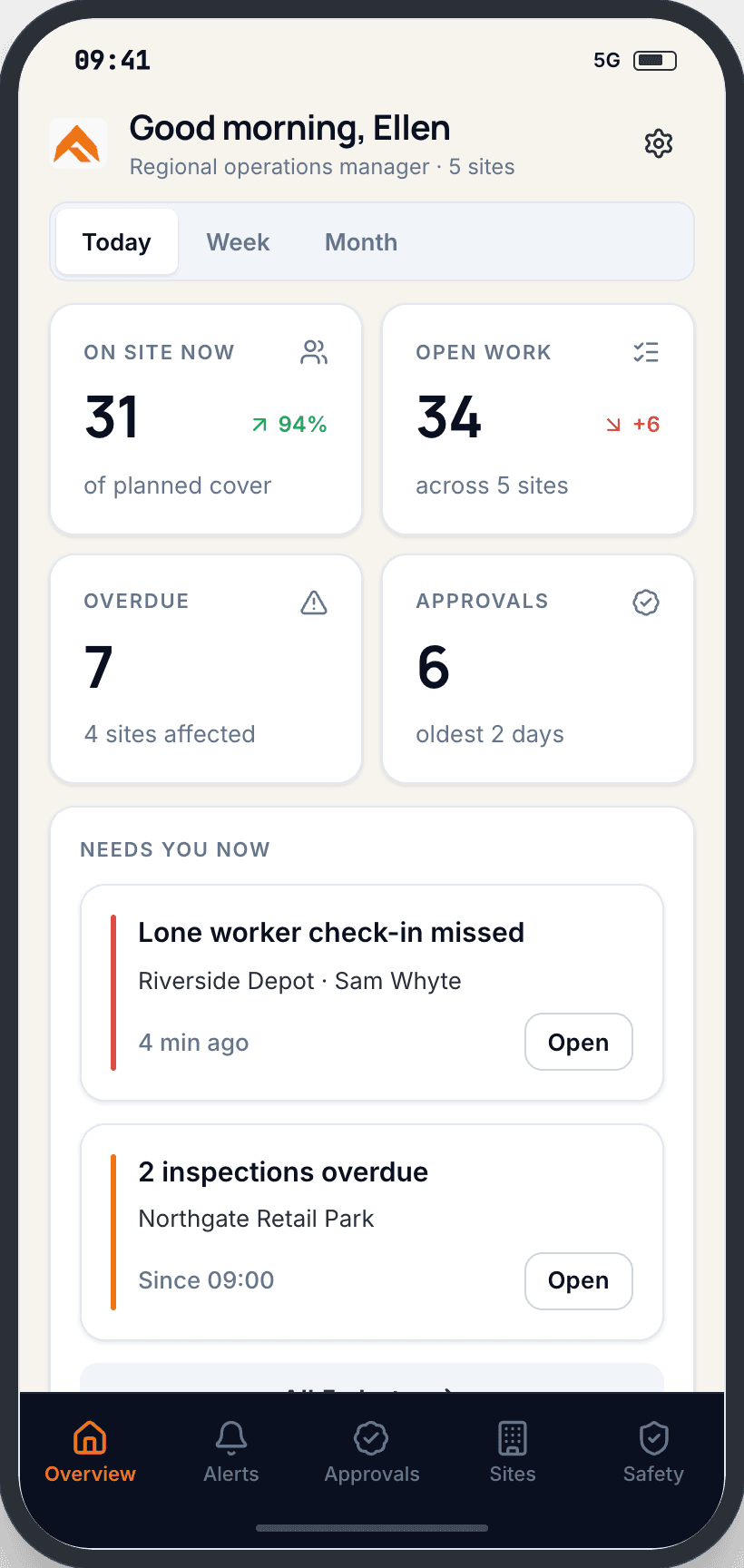
Roveya Hub · Mobile
Roveya Hub shows managers what needs attention across sites, teams and workflows — with the actions to deal with it while on the move.
Customer Zero · Ascent Onsite Group
Roveya is being developed alongside Ascent Onsite Group (AOG), our own site-services business and Customer Zero.
It was built against real projects, real workers, real compliance records and real commercial workflows, and it ran those operations before it was ever sold.
Roveya is a standalone platform for any operation. AOG is where it is used first.
Industries
Working with Roveya
Help, updates and the mobile apps, from the same place.
Trust
Questions
Roveya brings together projects, people, sites, inspections, work orders and commercial records. It is designed for organisations coordinating work across field teams and the back office, where details would otherwise be spread across spreadsheets, messages and separate systems.
Admin supports the back office, Ops supports field teams carrying out work and checks, and Hub supports managers reviewing exceptions and approvals on the move. They work from the same operating record, with distinct roles in the workflow. Explore how the platform fits together.
For example, an inspection finding can be linked to follow-up work, keeping the issue, evidence and recorded outcome together. Office teams use that context for review and reporting rather than relying on a separate message or spreadsheet. People still decide and move the work forward.
The Integrations directory shows the status of each listed connection: Available, In development or Planned. Check the individual status when assessing fit; a named or planned connection should not be treated as available.
Start with the sites, teams and workflows you want to connect, and the systems you use today. Book a demo to explore the platform against your operation, or contact the team and select Pricing or Implementation to discuss your requirements.
Next step
A working session focused on your sites, teams and workflows.


